
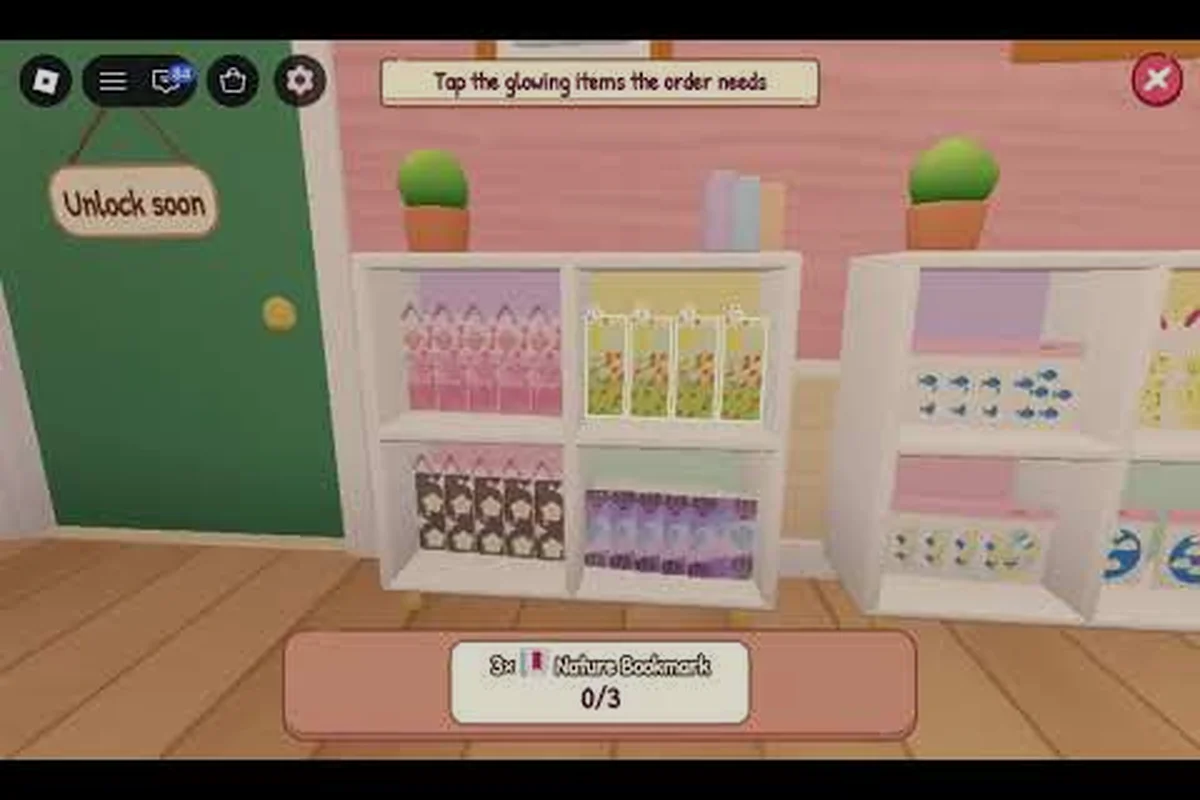
My Small Business Roblox events can change shop priorities fast, so confirming the active event matters before you spend coins or redesign your catalog. For example, a limited-time event may feature boosted sales, themed stock, or event-exclusive products, while the weekly update can shift which items are worth stocking. This event calendar tracks confirmed dates, recurring weekly activity, and practical preparation for the current schedule.
Event Calendar for October and November 2026
The official game page currently lists an October-to-November schedule that gives shop owners two distinct timeframes to manage: a Halloween-themed activity that has ended and a broader customization period still running. This matters because rewards and limited-time activities should guide your production priorities before routine spending takes over.
According to the official My Small Business Roblox game page, the Goodie Customization event ended on October 29, 2026. It featured custom goodie designs and a Halloween goodie crate. Shop Customization runs from October 27 through November 7, 2026, with furniture, wallpaper, outside color, and a Box Designer pass included.
| Event | Confirmed dates | Confirmed features | Current status |
|---|---|---|---|
| Goodie Customization | Through October 29, 2026 | Custom goodie designs and a Halloween goodie crate | Ended |
| Shop Customization | October 27-November 7, 2026 | Furniture, wallpaper, outside color, and Box Designer pass | Active on the supplied calendar |
| Plushies and Craft Fair | Date not confirmed in the supplied listing | Plushie products and craft-fair activity | Verify the live event panel |
The table separates confirmed dates from features that still need verification. Shop Customization is the clearest immediate opportunity because it extends beyond October, while Goodie Customization is now a planning reference rather than an active target. The game's official Future CEOs community is the best place to confirm additions, reward details, and schedule changes before you begin a costly project.
How to read the live event information
Start with the event panel inside the game rather than relying only on a community post. Look for the event name, remaining time, reward claim button, and any requirement for production or delivery. An event can expire or change earlier than expected, so the in-game timer is the practical source of truth when it conflicts with a dated calendar.
For broader patch details, the My Small Business Roblox update overview explains why developers may adjust event activities outside the original schedule. Treat a calendar entry as a planning window and the live interface as final confirmation.
Current Event Rewards and Limited-Time Activities
The available event information points to rewards and activities rather than a single universal prize pool. Goodie Customization rewards participation through a Halloween crate, while Shop Customization provides appearance and packaging options. That distinction helps you decide whether an event fits your play style and current business priorities.
| Activity | Main benefit | Best player goal | Before the deadline |
|---|---|---|---|
| Goodie Customization | Halloween-themed goodie crate and custom designs | Complete the remaining event requirements, if any | Claim every earned reward promptly |
| Shop Customization | Cosmetic upgrades and a Box Designer pass | Decide which upgrades improve presentation or order value | Purchase only after reviewing prices |
| Craft Fair | Event-specific selling opportunity | Prepare a focused product and container | Confirm the live schedule and reward conditions |
| Plushies | New plushie-themed production and sales | Build stock while demand is elevated | Avoid overproducing before checking order volume |
A limited-time item is not automatically a good investment. Players should compare its cost with expected order value, production time, and the possibility that a themed item will lose appeal after the event. Community experiences shared by players generally favor small test batches over filling every available workspace slot with seasonal stock.
Claiming and reward checklist
Work through the Claiming and reward checklist in a fixed order so a limited-time objective never expires unnoticed. Begin with the event panel, where the current My Small Business Roblox objective and its reward appear, then check the event timer before committing production time. For example, if the objective requires delivering a specified batch of products, confirm the required quantity and delivery target first; claiming the reward afterward prevents event currency, shop materials, or customization items from being wasted on a plan your catalog does not need.
-
Open the event panel and confirm the current objective.
-
Record the exact expiration time shown on the timer.
-
Complete only the production or delivery requirement stated there.
-
Claim the reward before starting another batch.
-
Review the crate or reward description for usable shop bonuses.
-
Add the reward's real value to your next spending plan.
Reward claiming order matters because a Halloween crate may contain shop materials, customization items, or event currency whose usefulness depends on what you have already unlocked. If you have not planned your catalog, review the My Small Business Roblox product list before deciding how seasonal rewards fit into production.
Weekly Event Schedule and Routine Planning
A reliable My Small Business Roblox event schedule should connect live deadlines with ordinary weekly production. The official calendar provides fixed dates for the two documented activities, but a weekly rotation may also distribute quests or bonuses differently. Use both sources: fixed dates determine the outer window, while the in-game panel determines the day's exact task.
| Planning point | What to check | Action before the next shift |
|---|---|---|
| Weekly start | Whether a quest resets or rolls over | Save unfinished progress instead of spending it |
| Midweek | New order types or event objectives | Adjust one product and prepare required materials |
| Weekend | Limited-time demand and crowded shipping | Build a small batch and protect time for delivery |
| Event deadline | Remaining time and unclaimed rewards | Complete the final objective and claim immediately |
| New update | A new event replacing or extending an activity | Recheck the game page and update overview |
The My Small Business Roblox weekly update should be treated as a planning signal, not a promise that every quest will remain unchanged for seven days. Event tasks can depend on product unlocks, order demand, or updates made during the week. A reliable routine therefore keeps ordinary stock ready while reserving enough cash and labor for an event objective that appears mid-session.
A repeatable weekly routine
Sunday is a good time to review the official game page and the in-game event panel. Note any countdown, newly listed activity, or reward that still needs claiming. Because the supplied calendar places Shop Customization on a fixed schedule, treat November 7 as a firm deadline unless the official game page changes it.
Monday through Wednesday should focus on testing event-compatible products in controlled quantities. On Thursday, compare the current event task with your production backlog and eliminate low-profit work that does not contribute. Weekend sessions can then focus on finishing orders, completing the event objective, and claiming its rewards.
One-event-at-a-time planning prevents a new release from spreading resources across too many seasonal projects. If the event panel shows a new objective, compare its required materials and production time with your existing backlog before reorganizing the workshop. For example, a limited-time order that needs six uncommon materials may justify pausing a low-margin product, but only after checking the My Small Business Roblox event schedule, current event calendar, and remaining countdown. Keep one active objective as the priority, then decide which queued items can be completed without missing existing customer orders.
Choosing Which Event to Prioritize
Prioritization begins with the deadline, reward type, and relationship to your current shop. Shop Customization offers lasting cosmetic and packaging options, so it is attractive if you want a more polished store. Craft Fair and Plushies may produce stronger temporary sales, but their exact dates and requirements must be confirmed in the live interface.
| Priority factor | Shop Customization | Craft Fair | Plushies |
|---|---|---|---|
| Scheduling confidence | Fixed October 27-November 7 dates | Not confirmed in supplied calendar | Not confirmed in supplied calendar |
| Reward visibility | Pass, furniture, wallpaper, and color | Confirm in the live event panel | Confirm in the live event panel |
| Production fit | High for players improving presentation | Moderate to high for event sales | Moderate for players with theme demand |
| Main risk | Spending without a planned layout | Missing the actual event dates | Overproducing seasonal inventory |
A practical ranking should not reward rarity alone. Compare the cost of the Box Designer pass, the value of a coherent shop theme, and the profit you expect from the extra presentation. If a cosmetic change does not improve customer appeal or make packing easier, it may belong below a revenue-producing upgrade in the My Small Business Roblox upgrade guide.
Spend, save, or skip?
Spend when the event reward solves a visible shop problem, such as repetitive packaging or an unattractive exterior. Save when the listed reward is desirable but your current cash is needed for production capacity or a higher-impact upgrade. Skip speculative spending when the requirements are unclear or the event has already ended.
The current event should also influence how much seasonal inventory you prepare. Goodie Customization ended on October 29, so spending coins to recreate that activity may be wasteful unless the game still shows an active quest. Shop Customization has the strongest confirmed time window, while the Plushies and Craft Fair listing requires verification.
Avoid rushed last-minute event mistakes
Do not buy a large collection of event materials before reading the objective. Do not assume that every appearance item changes order value, because cosmetics and functional production tools are different categories. Most importantly, do not let an expiration countdown surprise you after a long design or production task.
| Common mistake | Consequence | Better response |
|---|---|---|
| Starting a large batch without reading the quest | Materials and time may go unused | Test one small batch first |
| Ignoring the displayed timer | Rewards can be missed | Set a reminder before the final hour |
| Buying every limited item | Coins are spent without a clear plan | Rank the reward by shop value |
| Waiting to check for changes | An update may alter the schedule | Review the official panel and group |
| Leaving rewards unclaimed | Progress may not convert into inventory | Claim immediately after completion |
Preparing Products and Shop Improvements for Limited-Time Demand
Event preparation should begin before the final week, but it must remain controlled. The strongest approach is to produce a small sample, verify that customers actually order it, and then scale. This is especially important for plushies and other themed merchandise because a limited window does not guarantee that the item fits your unlocked catalog or customer preferences.
Start by reviewing which products are already available and how their production requirements compare with the event reward. The product guide can identify suitable seasonal additions without forcing unnecessary unlocks. For a new shop, basic beginner efficiency matters more than a large event batch; the My Small Business Roblox beginner tips can help you protect coins and avoid avoidable production mistakes.
A preparation sequence for event orders
| Step | Action | Reason |
|---|---|---|
| 1 | Confirm the live event and expiration | Prevents work on an inactive or changed activity |
| 2 | Select one theme-compatible product | Keeps materials and packaging focused |
| 3 | Produce a test batch | Measures demand without locking all resources |
| 4 | Complete the order and compare income with costs | Identifies real profit rather than gross revenue |
| 5 | Expand only after repeat demand | Limits seasonal overstock |
| 6 | Claim the reward | Converts event progress into inventory |
| 7 | Review the shop afterward | Determines whether future investment is worthwhile |
Test-batch discipline is the safest response to uncertain event demand. Three successful orders can reveal a workable price and production cycle, while one large shipment can lock the same ingredients into an untested combination. For example, if a pizza-themed event produces three weekly orders at 12 each, track ingredient cost, packaging, and event fees before scaling; a 30-unit order is risky if it requires a different oven batch or creates leftover stock. Tracking this across successive events in the my small business roblox event schedule also distinguishes repeatable demand from a one-time spike.
Matching decorations to customer appeal
Furniture, wallpaper, and outside color can create a coherent seasonal identity, but the effect should support the products. A Halloween exterior is most useful during a Halloween event; retaining it after the theme ends may make the shop feel dated. The Box Designer pass is more versatile because packaging can be refined for repeated use.
Before buying seasonal decorations for a My Small Business Roblox event, sketch one floor plan showing the storefront, product shelves, customer queue, and event display. For example, place a Halloween pickup zone near the entrance while keeping the Box Designer workbench separate from the main sales area, since grouped props can make customers and products harder to identify. A simple plan helps you estimate furniture placement and prevents a temporary event layout from blocking normal shop traffic.
-
Select two primary colors and one accent.
-
Match packaging to the new exterior.
-
Keep enough contrast for products to remain visible.
-
Avoid spending on every decorative item at once.
-
Revisit the layout after the event ends.
Cohesive seasonal presentation can make an event theme feel intentional, although a limited discount effect should never be assumed unless the game explicitly states it. Players should also avoid assuming that decorative changes unlock orders automatically; they can improve the shop, but event quests remain the authoritative source of additional objectives.
Checking Announcements and Verifying Event Changes
The official Roblox game page and Future CEOs community are the strongest available references for event announcements. A dated calendar still needs verification because updates can change rewards, add activities, or extend a deadline. This verification step is especially important when searching for a My Small Business Roblox event list, since older community guides may preserve an expired entry.
Check announcements in a fixed order: begin with the official Roblox game page for the current My Small Business event schedule, then use the Future CEOs community for developer notices, and finally compare both with the in-game event panel and its countdown. For example, if a community guide lists a weekend event as active but the in-game panel shows a different reward or expiration timer, treat the guide as outdated and avoid planning production around that reward. Checking in this order separates confirmed dates from unverified player reports and helps prevent expired weekly objectives from entering your production plan.
-
Open the official game page for the current calendar and game description.
-
Visit the Future CEOs group for developer posts and notices.
-
Enter the game and inspect the live event interface.
-
Compare the visible countdown with the published date.
-
Review recent patch details when an activity changes unexpectedly.
-
Update your production plan and remove expired objectives.
| Source | Best use | Limitation |
|---|---|---|
| Official game page | Confirmed calendar dates and listed features | Details may not cover every announcement |
| Future CEOs community | Developer notices and recent community discussion | Individual comments may be mistaken for official information |
| In-game event panel | Current task, timer, and reward claim status | Information changes as the event progresses |
| Player reports | Practical observations and likely strategies | Unconfirmed details require verification |
Source hierarchy prevents community speculation from becoming fact. The in-game panel should determine what you can complete today, while the official page and community page establish broader context. For a record of individual limited-time projects, the Notify Me event guide can help organize the dates and rewards you already encountered.
Frequently Asked Questions
What is the My Small Business Roblox current event?
As of the supplied October 2026 calendar, Shop Customization is the current documented event, running from October 27 through November 7, 2026. It includes furniture, wallpaper, outside color, and a Box Designer pass. Check the live event panel before spending because the schedule or objectives may change after an update.
What was included in Goodie Customization?
The Goodie Customization event featured custom goodie designs and a Halloween goodie crate, and it ended on October 29, 2026. Because the activity has concluded, its reward may no longer be obtainable unless the game still displays unfinished progress. Review your inventory and claim any completed reward immediately.
How often does the My Small Business Roblox weekly update change events?
The weekly cycle can bring new quests, order patterns, and limited-time activities, although not every update introduces a major event. Fixed event dates still control the deadline. Use the weekly update to adjust your production plan, but use the in-game timer and current objectives to decide what you can complete during a session.
Where can I verify the My Small Business Roblox event schedule?
The official game page is the best source for listed dates and confirmed features, while the Future CEOs community provides developer notices. The in-game event panel is essential for confirming a live countdown and reward requirements. For broader changes, check the current update overview before treating a dated calendar entry as final.
Should I prepare a large batch for a limited-time event?
No. Produce a small test batch first, complete the live order requirement, and compare profit with material costs. Expand only when the product produces repeat demand. This approach protects coins and storage space while confirming that the event still offers a worthwhile objective.