
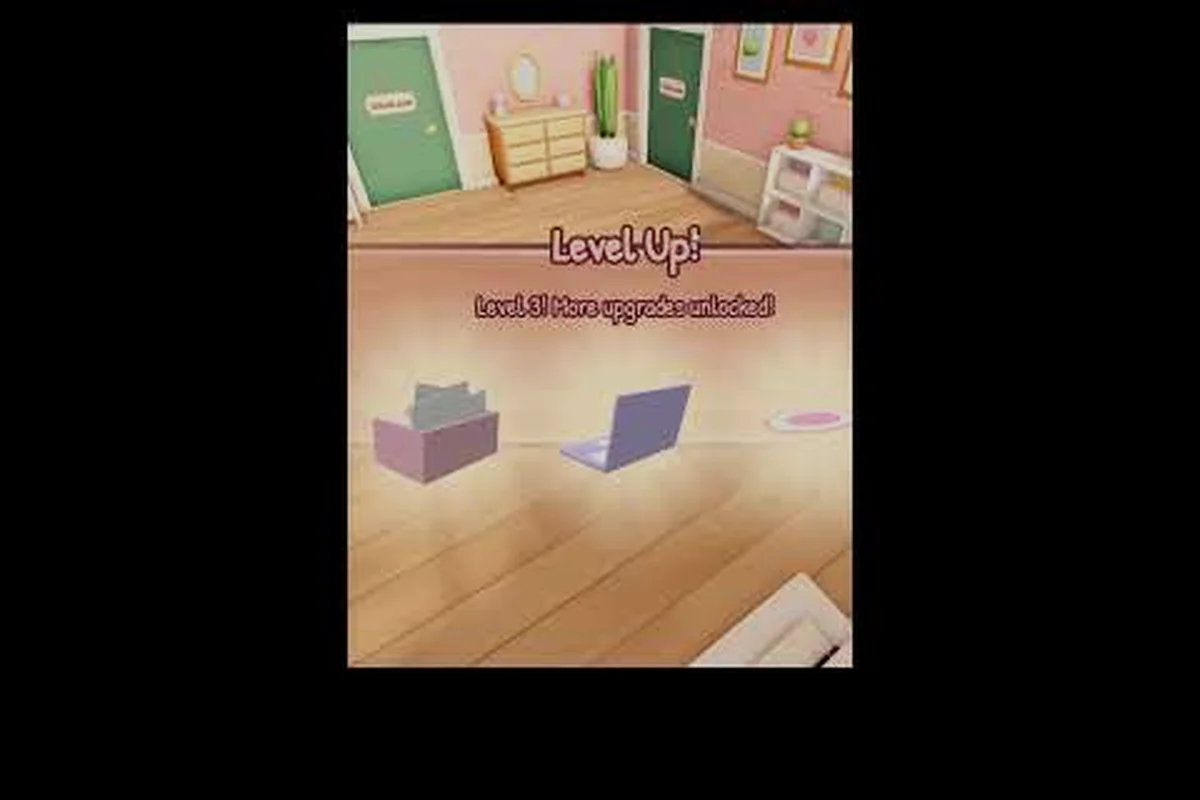
The My Small Business Roblox product catalog gives every shop a creative identity by balancing three product groups: core items for reliable stock, event-only products for timely demand, and Plushie Workshop creations for distinctive branding. For example, a shop can pair a fast-moving core product with a limited-event item, then use a recognizable Plushie Workshop design as its display centerpiece; this mix creates variety without spreading inventory across too many SKUs and helps turn product selection into faster sales and a stronger brand.
Product Catalog Overview
The official My Small Business on Roblox describes a cozy shop loop built around designing products, producing physical copies, packing orders, and shipping them to customers. That makes the My Small Business Roblox product catalog more than a list of unlockables: it is the foundation of your store’s identity, production schedule, and daily income.
The current catalog includes seven base product types, plus event lines. Available base products include Sticker, Bookmark, Greeting Card, Acrylic Charm, Luggage Tag, Art Print, and Plushie. The official game listing also identifies level gates for several items: Greeting Card at level 5, Acrylic Charm at level 8, and Luggage Tag at level 13. Art Print and Plushie appear as event products, so their availability may depend on the active event schedule.
| Catalog group | Listed items | Availability guidance |
|---|---|---|
| Paper and stationery | Sticker, Bookmark, Greeting Card | Start with simple production; Greeting Card unlocks at level 5 |
| Decorative accessories | Acrylic Charm, Luggage Tag | Acrylic Charm unlocks at level 8; Luggage Tag unlocks at level 13 |
| Wall and display goods | Art Print | Listed as an event product |
| Soft goods | Plushie | Listed as an event product |
| Event rotation | Current event-specific product line | Check the in-game catalog before planning a production run |
This overview of the My Small Business Roblox catalog guide leads to an important distinction: having an item available does not automatically make it your strongest seller. Price, materials, production time, customer requests, and event demand all influence the value of each order.
Core, Event, and Plushie Categories
Core products give a new shop a dependable foundation because they remain easier to compare and reorder. Event products create urgency, while plushies can command attention because they feel like a premium collectible. The best approach is to avoid treating these groups as identical.
A practical starter mix includes two everyday products, one inexpensive impulse item, and one event or plushie product. This balances repeat demand with occasional high-value orders. Before expanding the range, learn how each item moves through printing, cutting, packaging, and shipping so the catalog reflects what your business can actually deliver.
Catalog Guide by Product Type
Different products serve different shopping occasions. Stickers suit customers who want a quick, inexpensive addition to an order, while bookmarks and greeting cards work well for stationery fans. Acrylic charms and luggage tags appeal to customers building collections, whereas art prints and plushies create display-focused orders that may deserve more careful packaging.
| Product | Customer appeal | Best business role | Packaging priority |
|---|---|---|---|
| Sticker | Low-cost, colorful, easy to add | Impulse purchase and order filler | Low |
| Bookmark | Useful and collectible | Everyday stationery staple | Medium |
| Greeting Card | Personal and gift-oriented | Occasion-based add-on | Medium |
| Acrylic Charm | Decorative and customizable | Higher-value accessory | High |
| Luggage Tag | Travel-themed and functional | Premium accessory | High |
| Art Print | Displayable artwork | Event-driven centerpiece | High |
| Plushie | Cute, soft, collectible design | Premium or event feature | Very high |
Community gameplay showcases the visual appeal of these goods. A Roblox ASMR shop video by SnoozePlay focuses on running a sticker and stationery shop, illustrating how even simple products can support a satisfying production and packaging routine.
Matching Products to Customer Requests
Customer requests are one of the strongest signals for deciding what to produce. When several customers request the same style, changing the normal product mix for a short period can reduce wasted stock and improve fulfillment speed. The goal is not merely to make more units; it is to make the right units before an order leaves your desk.
Track three details for every request: the requested product, the theme or color, and whether the customer accepts a related design. If many customers ask for charm-like products, prioritize Acrylic Charm work. If requests favor cozy characters, use a Plushie Workshop design as the featured product for that session. You can also use My Small Business Roblox event products to respond to timely demand without replacing your daily catalog entirely.
What the Catalog Does Not Tell You
The catalog identifies what you can make, but it does not guarantee a specific profit margin or universal best seller. Demand can shift with events, unlocks, customer behavior, and game updates. Community reports can help identify trends, yet their observations should be treated as changing player experiences rather than permanent rules.
For a wider item-by-item breakdown, compare the complete My Small Business Roblox product list. That companion guide is especially useful for checking unlock levels, while this article concentrates on how to use the catalog as a business system.
How to Sell Products Successfully
A catalog becomes profitable only when design, production, packaging, and shipping work as one pipeline. Start with a small batch, observe how quickly it sells, and expand only after checking inventory use and order value. This prevents a large catalog from creating a complicated production queue.
The Production-to-Sale Workflow
-
Identify demand. Check current customer requests, the active event display, and your available materials.
-
Choose a focused theme. Pick one color family, character, or occasion for the batch rather than mixing unrelated styles.
-
Create the design. Use the Design Studio to establish the artwork and confirm that the final version is readable.
-
Print and cut. Convert the approved design into physical pieces and keep the quantities aligned with expected orders.
-
Package for presentation. Add suitable protection and decorative extras according to the product’s value.
-
Ship quickly. Complete delivery without leaving finished orders waiting.
| Stage | Player decision | Common mistake | Better approach |
|---|---|---|---|
| Demand check | Choose a product and theme | Producing randomly | Use requests and event displays as evidence |
| Design | Finalize one clear concept | Changing artwork repeatedly | Test on a small batch first |
| Production | Print and cut required units | Creating excess stock | Keep the first run modest |
| Packaging | Match presentation to value | Using one package style for every item | Protect fragile goods and highlight premium items |
| Shipping | Finish orders promptly | Letting stock sit | Clear the queue and reinvest profits |
Understanding how products are created also improves the entire shop. The Design Studio and printing guide explains how themes affect your visual direction, which is especially valuable when several products in your My Small Business Roblox product catalog share one recognizable style.
Pricing by Product Type and Order Value
Pricing should reflect effort, materials, presentation, and demand rather than a single universal figure. A sticker added to a larger order can justify a small markup because it increases the perceived value of the shipment. A plushie or art print may justify a larger markup because production and protective presentation require more attention.
Use tiered pricing ideas rather than guessing at a single “best” number: set a low Entry price for stickers and small add-ons, a mid-range Core price for bookmarks and Greeting Cards, and higher Premium accessory or Feature item prices for Acrylic Charms, Luggage Tags, Art Prints, and Plushies. For example, pricing an Art Print above a Bookmark makes sense when the print has greater production and packaging demands; price each tier according to its product costs, scarcity, and perceived collectible value.
| Price tier | Suitable products | Pricing approach |
|---|---|---|
| Entry | Sticker and small add-ons | Offer a low-cost way to raise order value |
| Core | Bookmark and Greeting Card | Balance material cost with familiar demand |
| Premium accessory | Acrylic Charm and Luggage Tag | Charge more for detailed work and durable presentation |
| Feature item | Art Print and Plushie | Emphasize collectible quality, event scarcity, and careful packaging |
Test one change at a time. If an order contains two items, try raising the premium item slightly while keeping the total customer-friendly. If sales stall, reassess the theme or package before lowering every price. The selling-price breakdown can provide a useful second reference for planning margins.
Packaging as a Sales Tool
Packaging should protect the product, reinforce the theme, and make the order feel finished. A sticker can travel with a simple decorative envelope, while a charm or luggage tag may need a sturdier container. Plushies and art prints deserve extra care because damage can spoil the entire order.
The most effective packages use the same color palette and motif as the product. This creates a cohesive brand without requiring unlimited materials. Thank-you cards and small extras can also encourage future purchases, although you should compare the added material cost with the order value so generosity does not erase the profit.
Plushie Workshop Products
Plushies stand apart from flat paper goods because their shape, softness, and character design make them feel like a flagship product. The My Small Business Roblox plushie workshop products category also carries a strong presentation requirement: the package must protect both the toy and the identity of the character or theme.
Building a Plushie Line
A coherent plushie range usually works better than unrelated individual attempts. Choose a recurring palette, personality, or theme, then produce one strong prototype before committing to a large batch. If the character is cute but difficult to read at small scale, simplify the facial features and strengthen the silhouette.
| Plushie design decision | Strong option | Practical reason |
|---|---|---|
| Character type | Cute animal or mascot | Recognizable shape supports a friendly shop identity |
| Color scheme | Two or three coordinated colors | Easier to display and package consistently |
| Facial details | Large, simple features | Remains readable from a distance |
| Add-ons | Small themed accessory | Adds character without requiring another complex part |
| Packaging | Protective, shape-aware presentation | Reduces damage and supports the premium impression |
Plushies as Event or Featured Items
Because the official listing identifies Plushie as an event product, treat it as a temporary centerpiece rather than a guaranteed permanent fixture. Build demand around the event color, character, or theme, and keep a smaller daily lineup ready in case the special product is unavailable.
Players have shown that plushies can also anchor themed shop identities. The YaGee Craft workshop footage by Yasi on Roblox demonstrates the appeal of a focused crafting theme. Use that lesson for your own catalog: one recognizable product can make the rest of the store easier to market.
Converting Plushie Interest into Repeat Business
A plushie can attract attention, but accessories and add-ons can turn that interest into a larger order. Offer a matching sticker, bookmark, or charm where the theme supports it. This creates a bundle around the plushie rather than forcing customers to make separate visits for related items.
Track which themed additions sell best beside the plushie. If stickers perform well but bookmarks do not, lower the bookmark quantity without abandoning the theme. The key is to use My Small Business Roblox event products as the centerpiece while everyday products handle consistent traffic.
Event Products and Craft Fair Sales
Event items create short windows of attention, so production should respond quickly without becoming chaotic. Their appeal may come from limited availability, seasonal imagery, or a shared theme. The catalog lists Art Print and Plushie among its event offerings, although live availability should always be confirmed inside the game.
Event Product Planning Cycle
Use a simple cycle for every limited item: plan the Roblox event product before opening orders, publish a small preview batch, increase stock only after checking customer requests, and reduce or redesign the item when event demand falls. For example, a plushie workshop can begin with one hero design and a measured quantity, then add matching accessories only if the event display converts interest into orders. This keeps your Roblox catalog guide responsive without creating excess inventory for the next event.
-
Review the event display. Confirm which product is active and which level or requirement applies.
-
Estimate the audience. Consider current customer requests and the number of orders already arriving.
-
Select one hero design. Build a recognizable theme rather than several disconnected attempts.
-
Produce a measured batch. Start with quantities that can be packed and shipped during the event window.
-
Bundle related products. Add stationery or accessories that fit the event theme.
-
Recheck remaining stock. Move or redesign the theme if the featured item loses momentum.
| Event stage | Main goal | Catalog decision |
|---|---|---|
| Preview | Learn the theme and requirements | Keep core products ready |
| Launch | Capture immediate demand | Produce the hero design and matching add-ons |
| Mid-event | Respond to actual requests | Adjust quantity and bundle mix |
| Late event | Use remaining inventory | Avoid overproducing a fading theme |
| Closeout | Return to steady sales | Restore the everyday catalog lineup |
Selling at Craft Fairs
Craft fairs provide direct feedback because customers can see several approaches in one place. That makes them useful for testing themes, package colors, and price reactions before committing larger quantities inside the main shop. The craft fair and truck guide explains the location and setup side of these sales opportunities.
Bring products that can be understood at a glance. Large artwork, recognizable plushie shapes, and neatly displayed charms work better than rows of nearly identical paper goods. Compare My Small Business Roblox craft fair products by display impact rather than unit profit alone, because a lower-priced product can still attract attention that leads to another purchase.
| Craft fair tactic | Product fit | Expected benefit |
|---|---|---|
| Bold tabletop display | Art Print and Plushie | Captures attention from across the booth |
| Low-cost impulse rack | Sticker | Encourages an easy first purchase |
| Grouped color display | Bookmark and Greeting Card | Makes a cohesive theme visible |
| Protected sample table | Acrylic Charm and Luggage Tag | Demonstrates quality without exposing every item |
| Themed bundle sign | Mixed event products | Explains the collection at a glance |
After the fair, compare sell-through by theme and price rather than recording only total revenue. A theme with lower sales but a strong plushie add-on rate may be more valuable than one that sells many cheap items. Those details make the next My Small Business Roblox catalog guide revision more evidence-based.
Building a Repeatable Shop Product System
A sustainable shop does not need the largest possible catalog. It needs a dependable routine for selecting products, monitoring stock, and changing themes without creating waste. Review results after each event or major shop upgrade, then decide what deserves more production.
A Weekly Catalog Refresh Routine
-
List the active catalog. Separate permanent products from event-only items.
-
Record sales by product. Compare units sold, order value, and leftover stock.
-
Check customer requests. Identify repeated themes even when they involve different products.
-
Calculate material efficiency. Note how often packaging or unused production became a cost.
-
Choose one experiment. Test a new design, bundle, or package without changing every variable.
-
Keep what performs. Expand only the products and themes that produce repeat interest.
| Metric | What it reveals | Action suggested by the result |
|---|---|---|
| Sell-through rate | How quickly a batch leaves inventory | Expand strong batches and reduce slow ones |
| Average order value | Whether customers add complementary goods | Promote useful bundles |
| Request frequency | Which products customers actively seek | Increase production of requested items |
| Waste rate | Whether stock or packaging is excessive | Tighten batch sizes |
| Repeat-theme rate | Whether a visual identity is landing | Build a small coordinated range |
| Event timing | Whether stock is ready before demand ends | Produce earlier and in controlled quantities |
The official Future CEOs Roblox group is the authoritative community hub for the developer, so use it for update notices when event availability may have changed. Treat community reports as practical evidence, but confirm current catalog access in the game before reorganizing your entire business.
When to Expand the Range
Add a product when it serves a distinct customer need, can be produced consistently, and fits your available space and time. More variety is not automatically better. A compact collection of coordinated products can make your shop easier to recognize than a cluttered set of unrelated items.
Your first expansion should often improve presentation rather than add another product type. Upgrade packaging, create a stronger shelf display, or bundle two popular goods. After that, introduce the next item only if customer requests justify it. This method keeps the My Small business Roblox product catalog focused while preserving room for experimentation.
Frequently Asked Questions
Which My Small Business Roblox products should a new shop make first?
Start with simple core goods such as stickers or bookmarks because they are easy to produce and understand. Add greeting cards once level 5 is reached, then use customer requests to guide the next item. Keep the first batch modest so you can learn production speed, packaging needs, and actual demand before expanding the My Small Business Roblox product catalog.
Are event products available all the time?
No. The official game listing identifies Art Print and Plushie as event products, so their availability depends on the current event. Check the live in-game catalog and Future CEOs updates before planning a large production run. Event items can be excellent featured products, but ordinary shop goods should remain available to handle steady demand.
How should players decide what to sell from the product catalog?
Compare customer requests with sales results and leftover inventory. A requested item deserves an early production test, while a product with strong sell-through and frequent praise deserves more stock. Do not rely on one popular order or a single community report; track several batches so the decision reflects a consistent pattern.
What makes plushie products worth stocking?
Plushies work best when their shape, color palette, and character theme are easy to recognize. They also need protective packaging because damage harms the entire order. Pair a featured plushie with matching stickers, bookmarks, or charms to increase order value and make the plushie workshop theme more memorable.
Is a large product catalog better for selling?
No. A focused collection of products that share a theme and can be produced consistently is often easier to manage than a large, scattered assortment. The best My Small Business Roblox catalog guide is not a simple list; it is a decision system built around requests, sell-through, presentation, and the limited time available during each event window.