
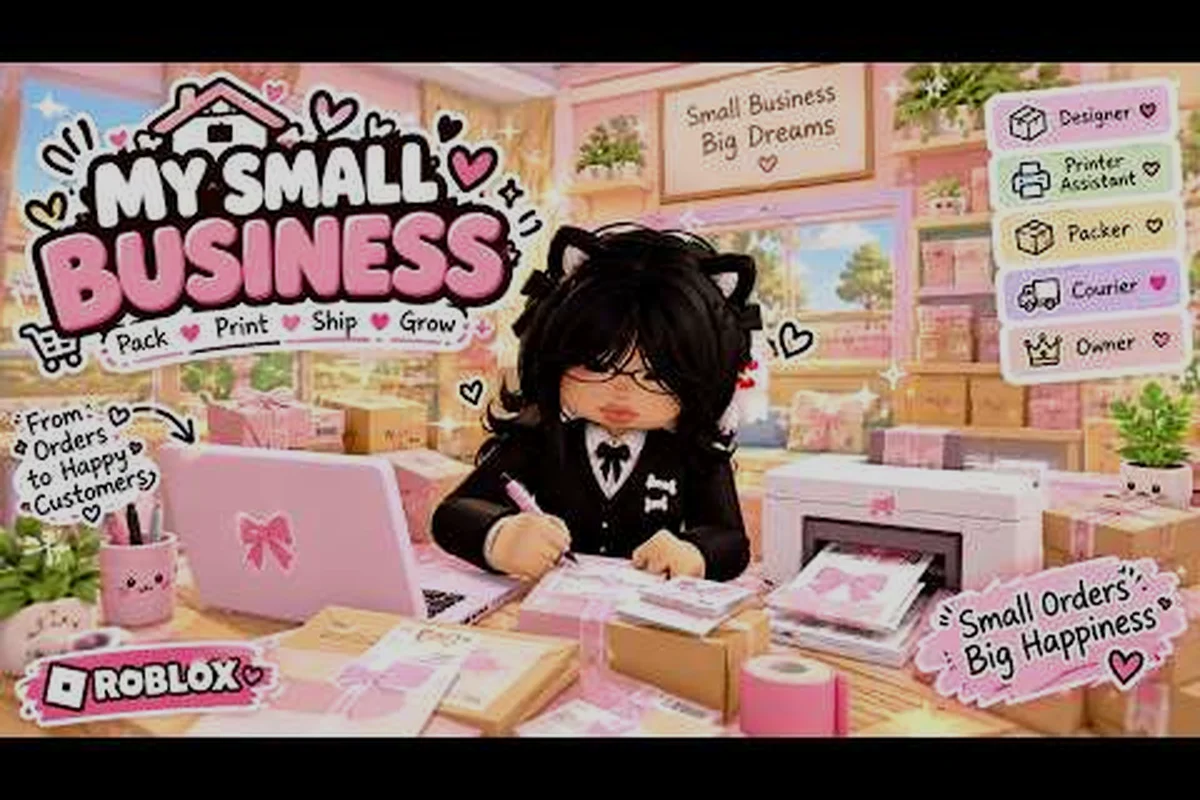
My Small Business Roblox gameplay turns a cozy crafting fantasy into a repeatable production line: you sketch a product, print it, cut it out, pack it, and ship it to a waiting customer. Understanding that loop is the difference between a shop that grows and one that stalls on the first busy afternoon.
This breakdown walks through the full cycle — from the Design Studio to the shipping counter — and explains how the order system, product themes, and shop income connect. Once you see how each stage feeds the next, every shift becomes a plan instead of a scramble.
The Production Chain Behind Every Shop Action
The game is built by the Future CEOs group, and its official Roblox game page describes the experience as running a cozy online shop. The important thing to understand is that this is not a free-form sandbox where you decorate forever. It is a production chain with a customer at the end of it, and every action you take either moves an order forward or wastes time.
A normal session in My Small Business follows a fixed five-beat rhythm, and once you recognize it you can start trimming seconds from each beat. Here is the shape of a normal session: you check the order board to see which customer orders are live, pick a product that matches the requested order theme, print the design and cut it at the cutting station, choose a box and add packaging extras before packing, then ship the parcel to collect payment plus any tip. Seeing this sequence laid out makes the batching logic obvious — the order board, printer, cutter, and packing bench are separate stations, so every trip between them is unpaid walking time rather than progress on a customer order.
-
You check the order board to see what customers are asking for.
-
You design or select a product that matches the requested theme.
-
You print the design, then cut it out at the cutting station.
-
You choose a box, add packaging extras, and pack the item.
-
You ship the finished parcel and collect payment plus any tip.
Each stage has its own station and its own small time cost, which is why the core loop rewards players who batch similar tasks instead of running back and forth. A player who prints five Animal-theme products in one pass will always out-earn someone who prints one, walks to the cutter, walks back, and repeats.
The core loop is short enough to learn in a single shift but deep enough that small optimizations compound. That is the design tension the game leans on, and it is why the first hour feels calm while the tenth hour feels like logistics.
The Design Studio: Where Every Product Begins
Everything in My Small Business Roblox gameplay starts in the Design Studio, and this is the stage most new players rush. The studio lets you sketch a product shape and apply colors or patterns, and the result becomes a printable asset you can reuse later. Treat your first designs as templates rather than one-offs, because a design you can reprint ten times is worth far more than a masterpiece you only sell once.
A practical workflow looks like this: open the Design Studio, pick the theme your current customer orders are requesting, then build one base design per product type inside that theme before you touch color. For example, if the order board is asking for pastel items, sketch a simple pastel mug, print it once to confirm the silhouette reads clearly in a small box, then recolor that same base file for each new order theme instead of redrawing from scratch. This keeps your printable asset library tight and your printing queue fast during busy order rushes.
-
Pick a theme first, then design inside it, so your catalog stays coherent.
-
Keep shapes simple — clean silhouettes print faster and read better in a small box.
-
Save a base design for each product type you unlock, then recolor it for new themes.
-
Name your designs clearly so you can find them when an order arrives.
The Design Studio is also where the game quietly teaches you about inventory. If you design twelve products but only three themes are being requested, you have spent time on items that will sit unused. Community players consistently report that a tight, theme-aligned catalog outperforms a large scattered one, because you spend less time hunting for the right file and more time printing.
Designing is not the moneymaker by itself. It is the setup step that makes every later stage faster, so budget your early sessions around building a reusable library rather than chasing variety. The reason is mechanical: every minute spent redrawing a silhouette in the Design Studio is a minute your printing queue sits idle, and idle print time is lost order revenue you never recover. A player who keeps five clean base files — one per unlocked product type — can recolor and reprint a pastel mug order in seconds, while a player with thirty scattered one-off designs spends that same window scrolling for the right asset. Front-load the library, and the order system rewards you later.
Printing and Cutting: The Middle of the Loop
Once a design exists, the production floor takes over. Printing consumes your design and produces a physical sheet; cutting turns that sheet into a finished product you can pack. These two stations are the bottleneck of My Small Business Roblox gameplay, because they sit between your creative work and your actual income.
| Stage | What You Do | Why It Matters |
|---|---|---|
| Design | Sketch and save a product | Creates reusable templates |
| Turn the design into a sheet | Consumes time per unit | |
| Cut | Trim the sheet into a product | Required before packing |
| Pack | Box the product with extras | Determines tip potential |
| Ship | Send the parcel to the customer | Triggers payment |
The key insight is that printing and cutting are sequential per item but batchable across items. If three orders all want Flower-theme products, print all three sheets before you touch the cutter. This single habit cuts a surprising amount of walking time out of every shift.
Players also note that keeping the production area clear of clutter matters more than it looks. A crowded floor makes it easy to grab the wrong sheet or lose track of which product belongs to which order, and a mis-packed box costs you the tip you were working toward. If you want a deeper look at how designs move from sketch to shelf, the product themes and Design Studio guide covers the artwork side in more detail.
How the Order System Works
The order system is the heart of My Small Business Roblox gameplay, and it is simpler than it first appears. Customer orders arrive with a named theme attached, and the game expects you to fulfill that specific request. You are not shipping whatever you feel like — you are matching a demand.
There are eight official themes in the rotation, and each order points to one of them. That constraint is what makes the loop interesting: you cannot just mass-produce one product and call it a day, because the customer orders keep shifting the target.
| Theme | Typical Product Feel | Planning Note |
|---|---|---|
| Animals | Cute creature shapes | Popular early, keep a base design ready |
| Flowers | Botanical patterns | Strong for pastel color palettes |
| Sweets | Dessert-inspired items | Pairs well with small boxes |
| Sky | Clouds and soft blues | Good for simple silhouettes |
| Love | Hearts and warm tones | Reliable recurring demand |
| Nature | Leaves and woodland motifs | Flexible across product types |
| Ocean | Sea creatures and waves | Works with cool color schemes |
| Fantasy | Magical, whimsical items | Rewards creative designs |
Because the theme is fixed by the order, the smartest players build a template bank — one solid design per theme per product type — so that when an order lands, they are recoloring rather than starting from scratch. This is the single biggest time saver in the game, and it directly explains why some shops seem to churn out orders while others crawl.
How Customer Orders Drive Your Income
Understanding how orders work is only half the picture; the other half is understanding what the customer actually pays for. Payment comes from the product itself, but the tip is where the real margin lives, and tips respond to how well you packaged the parcel.
A few behaviors consistently move the needle: the fit bonus scales with how closely the box matches the product's footprint, so a correctly sized box on a bulky item like a furniture order pays noticeably more than cramming it into the nearest spare carton. Packaging extras — thank-you cards, small goodies — add a flat tip bump that only pays off once the order value clears a certain threshold, which is why a cheap order stuffed with freebies can quietly eat your profit margin. Prompt shipping matters too, since the order system tracks how long a finished parcel sits on the counter before pickup, and a late handoff drags the star rating down even when the pack itself was flawless.
-
Match the box to the product. Oversized boxes waste space and reduce the fit bonus.
-
Add packaging extras like thank-you cards and small goodies when the order value justifies it.
-
Ship promptly. A finished order sitting on the counter earns nothing.
-
Keep quality consistent. A rushed, sloppy pack reads as low effort to the customer.
The order system rewards players who treat each parcel as a small presentation, not a transaction. That said, extras cost time and materials, so the skill is in matching the packaging to the order's value rather than maxing out every box. A cheap order with three goodies can actually lose you money in opportunity cost. The tips and star rating guide breaks down exactly how the final payout is calculated if you want the numbers behind the routine.
Reading the Shop Board and Choosing What to Prioritize
The order board is your dashboard, and learning to read it quickly is a genuine skill. At any moment you may have several customer orders waiting, and they are not equal in value. Some are small and fast; others are larger and demand more production steps.
| Order Type | Time Cost | Best Response |
|---|---|---|
| Single small item | Low | Clear it immediately to keep the board moving |
| Multi-item same theme | Medium | Batch print all sheets first |
| High-value themed order | High | Prioritize if you have the template ready |
| Order needing a new design | Very high | Only take it if you have spare time |
The practical rule is to clear fast orders first so the board keeps cycling, then invest in the bigger ones once the queue is under control. Players who chase only the largest orders often end up with a board full of expired small requests, which feels busy but produces less income overall.
If you are still learning the rhythm, a full walkthrough of the game can help you see how a typical session flows from first order to final shipment before you start optimizing.
Common Mistakes That Stall the Core Loop
Most players who feel stuck are not doing anything dramatically wrong — they are losing time in small, repeated ways. The core loop punishes inefficiency more than it punishes inexperience, because every order runs through the same fixed sequence of sketch, print, cut, pack, and ship. A player who spends 90 seconds re-sketching a design that could have been pre-drawn, or who prints one shirt at a time instead of batching five, loses that time on every single order — the loss compounds across a session far faster than a single botched theme choice ever does. Inexperience costs you one bad order; inefficiency costs you a slice of every order.
-
Designing on demand instead of in advance. Every order that requires a fresh sketch doubles your time cost.
-
Running one item at a time. Printing and cutting in batches is dramatically faster.
-
Ignoring the theme until packing. Discovering a mismatch at the box stage wastes the whole production run.
-
Over-packaging cheap orders. Goodies should scale with order value, not be applied uniformly.
-
Letting finished orders sit. Shipping is the only step that pays.
Fixing even two of these habits usually produces a visible jump in how many orders you complete per session. The loop is forgiving enough that you can recover from mistakes, but it rewards the player who plans two steps ahead.
Putting the Whole Loop Together
When you step back, My Small Business Roblox gameplay is a clean four-part rhythm: design, produce, pack, ship. The Design Studio feeds the printer, the printer feeds the cutter, the cutter feeds the packing station, and packing feeds the customer. Every optimization you make should shorten one of those handoffs.
The players who progress fastest are not the ones with the fanciest designs. They are the ones who keep a theme-ready template bank, batch their production, match their packaging to order value, and ship without delay. That combination turns a cozy shop sim into a genuinely efficient little business — which is exactly what the game is asking you to build.
Frequently Asked Questions
What is the core loop in My Small Business Roblox gameplay?
The core loop runs design, print, cut, pack, and ship. You sketch a product in the Design Studio, print and cut it at the production stations, box it with optional packaging extras, then ship it to the customer to collect payment and any tip. Every session repeats this cycle with different themed orders.
How do customer orders work in the game?
Each customer order specifies one of eight product themes — Animals, Flowers, Sweets, Sky, Love, Nature, Ocean, or Fantasy. You must produce an item matching that theme, then pack and ship it. Orders that match your existing templates are far faster to complete than ones requiring a brand-new design.
Why do my tips stay low even when I ship fast?
Tips respond to packaging quality and fit, not speed alone. Using an oversized box or skipping packaging extras signals low effort, while a snug box with a thank-you card and a small goodie raises the perceived value. Match extras to the order's total value rather than applying them uniformly.
Should I design every product theme right away?
No. Build one reliable base design per theme first, then expand as orders demand it. A tight, theme-aligned catalog keeps production fast and prevents you from spending sessions sketching items that never get requested. Reusable templates beat one-off masterpieces every time.