
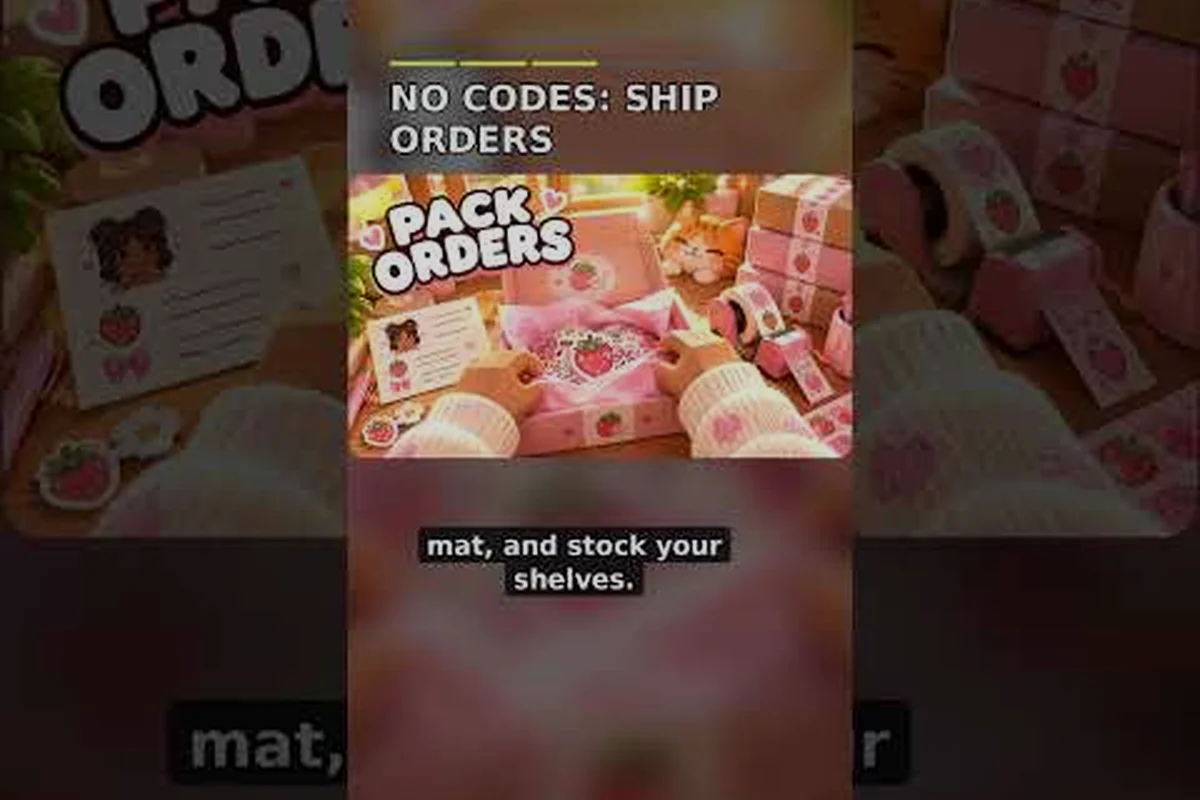
Packing is where a cozy shop tycoon quietly turns into a puzzle game, and learning my small business roblox how to pack correctly is the fastest way to raise every order's payout. The Perfect fit bonus alone adds 10% to your tip, and sloppy box choices quietly cost you that money on every single shipment.
Why Packing Decides Your Tip in My Small Business Roblox
Every customer order in My Small Business ends at the packing table, and the game scores how well you handled it. According to the official Roblox game page, the tip you receive depends heavily on whether your items fit the box cleanly, so a rushed seal can wipe out the bonus you earned from goodies. This packing guide focuses on the physical side of that loop: picking a box, placing products, and closing it without wasted space.
The core rule is simple. Choose the smallest box that fits your order. Oversized boxes look generous but read as wasted material, and the game rewards tight, deliberate packing instead of guesswork. Players who internalize this one habit usually see their average tip climb within a few orders.
-
Perfect fit tip: +10% when products fill the box cleanly
-
Goodies stack on top: bonuses are added before you seal
-
Seal last: closing the box ends your chance to adjust
-
Box Organizer upgrade: unlocks extra sizes and speeds up selection
If you are still learning the shop's overall rhythm, the beginner guide to My Small Business walks through the design, print, and ship loop before you worry about optimization. Treat that loop as your baseline: once you can consistently move an order from design station to packing table without backtracking, the smallest-box habit becomes the next upgrade rather than a shortcut you are guessing at. Skipping straight to tight packing before the loop is automatic usually backfires, because fumbling box selection under time pressure costs more tip than an oversized box ever would.
My Small Business Roblox Box Sizes Explained
Box size is the single decision that determines whether you earn the perfect fit bonus, so treat the size menu as the most important screen in the game. Each size accepts a fixed volume of products, and the game checks whether your arrangement leaves awkward gaps. A box that is technically large enough but half empty will not score as a clean fit.
| Box Size | Best For | Fit Risk | Tip Impact |
|---|---|---|---|
| Small | Single small product or sticker pack | Low if item is compact | High — easiest perfect fit |
| Medium | Two to three small items | Medium — gaps appear fast | Good with tight arrangement |
| Large | Bulky or multi-item orders | High — empty corners hurt | Only worth it for big orders |
| Extra sizes (Box Organizer) | Mixed orders needing precision | Medium — more options to test | Best long-term value |
The practical takeaway is to start from the smallest size and move up only when a product physically refuses to fit. Community players report that most failed perfect fits come from jumping two sizes at once, because the extra room invites careless placement. Test the next size up, not the biggest one available.
Reading Product Footprints Before You Choose
Every product has a footprint, and knowing it saves you from trial and error. Sketch and print a few products early, then note how much room each one occupies in a small box. Once you know that a plushie takes roughly half a small box, you can plan two-item orders without opening the size menu twice.
When a Bigger Box Is Actually Correct
Bigger boxes are not always wrong. Multi-item orders, bulky decor products, and themed bundles sometimes need the room, and forcing them into a small box fails outright. The trick is to fill the leftover space deliberately rather than leaving it empty, which is where goodies and careful rotation come in.
My Small Business Roblox How to Pack Boxes Step by Step
The packing sequence matters as much as the box choice, because the game locks your arrangement the moment you hit Seal — no reshuffling after that point. The order itself is doing real work: placing the largest product first against one side creates a flat anchor, so every smaller item after it has a straight edge to press against instead of rolling into a hollow corner. Skip that anchor and the fit indicator reads the empty wedge as wasted space, which is exactly what drags your perfect fit tip down even when the box size was correct. Follow this order every time and you remove most of the randomness from the tip calculation.
-
Read the order ticket and count how many products are required before touching the box menu.
-
Pick the smallest plausible box and place the largest product first, flat against one side.
-
Fill gaps with smaller items so corners are occupied rather than hollow.
-
Add goodies in the remaining space, keeping them visible and untangled.
-
Check the fit indicator and resize once if the game flags wasted space.
-
Seal and ship only after the arrangement looks tight from every angle.
That six-step routine takes seconds once it becomes habit, and it protects the bonus you already earned through production. Players who skip step five are the ones who complain that perfect fit feels random, when in reality they sealed a box with a visible gap.
Placing Products Without Overlapping
Overlapping products is the most common silent failure. The game may allow the placement, but the resulting pile reads as messy and can block the fit check. Rotate each item so its flat edge meets the box wall, and stack only when the product type clearly supports it.
Using the Fit Indicator as a Guide
The fit indicator is your feedback loop, not a decoration. If it warns about empty space, try rotating a product before switching sizes, because rotation often closes a gap that resizing would only paper over. One rotation is usually cheaper than one size jump.
My Small Business Roblox Perfect Fit Guide: Habits That Pay
A perfect fit is not a lucky accident. It is the predictable result of three habits: choosing tight boxes, arranging with intent, and resisting the urge to add filler products the customer never ordered. The full tutorial walkthrough covers the surrounding production steps if any of those still feel unfamiliar.
| Habit | What It Looks Like | Why It Pays |
|---|---|---|
| Start small | Open the smallest size first | Prevents lazy oversized packing |
| Largest first | Big product against a wall | Leaves usable space for small items |
| Rotate before resize | Turn the item, recheck fit | Saves a size jump and keeps the bonus |
| Goodies last | Add extras after products settle | Keeps the fit check clean |
| Seal once | No second-guessing after sealing | Avoids accidental re-packs |
The perfect fit tip is worth protecting because it multiplies with everything else. A clean box plus a strong goodie combination produces noticeably better tips than a clean box alone, and a messy box drags both numbers down at the same time.
The Cost of Wasted Space
Wasted space is not just cosmetic. It signals to the game that you used more packaging than the order required, which is exactly the behavior the perfect fit check is designed to catch. Even one visibly empty corner can flip a clean fit into a standard one, so scan all four corners before sealing.
Practicing on Cheap Orders
Early orders are cheap to practice on, so use them. Deliberately test a small box with two products, then a medium box with the same two, and compare the tip results. That experiment teaches you more about box sizes than any written explanation, and it costs almost nothing in materials.
My Small Business Roblox Goodies Guide for Packed Orders
Goodies are the second half of the packing puzzle, and they only pay off when the box is already tight. The official game page lists the exact bonuses, and they are worth memorizing because they stack on top of your perfect fit reward.
| Goodie | Tip Bonus | Best Used When |
|---|---|---|
| Plushie Goodie | +25% | High-value orders that can spare the space |
| Freebie | +10% | Everyday orders with room to spare |
| Thank-You Card | +8% | Almost any order, minimal space cost |
| Tissue Paper | +8% | Orders with visible gaps to fill |
| Seal Sticker | +6% | Quick finishing touch on tight boxes |
The Plushie Goodie is the strongest single bonus, but it also eats the most room, so it belongs in orders where the box has genuine space left. Cards and stickers are the opposite: tiny, cheap, and easy to slot into corners without breaking the fit.
Stacking Goodies Without Breaking the Fit
Stack goodies after the products are settled, never before. Adding a plushie first and then cramming products around it usually produces an ugly pile that fails the fit check. Products first, goodies second, seal third is the order that consistently works.
Matching Goodies to Order Value
A small order rarely justifies a plushie, because the percentage bonus applies to a small base tip. Save the big goodie for larger orders and lean on cards and tissue paper for the rest. This is the same logic behind efficient goodie combinations and stacking order, applied specifically to how the box is filled.
Common Packing Mistakes and How to Avoid Them
Most packing failures repeat the same handful of patterns, and each one has a simple fix. The six mistakes below account for nearly every wasted box, spilled goodie, and lost sale in My Small Business — from jumping straight to the largest box size instead of the next size up, to sealing a package before rotating it once to check the fit indicator. Recognizing them early saves you from a string of mediocre tips while you figure out the system by trial and error, and it protects your profit margin on every order.
-
Jumping to a large box immediately — try the next size up instead of the biggest one.
-
Adding goodies before products — products settle first, extras fill the gaps.
-
Ignoring the fit indicator — it exists to catch wasted space before sealing.
-
Sealing to "save time" — a reseal costs more time than one rotation.
-
Using every goodie on every order — space and cost rarely justify it.
-
Forgetting the Box Organizer upgrade — extra sizes make tight fits much easier.
The Box Organizer upgrade deserves special mention because it changes how precise your packing can be. More sizes means smaller jumps between options, which directly improves your odds of a clean fit on awkward orders. If you pack often, it pays for itself quickly.
Rushing the Seal
Sealing is irreversible in the moment, and rushing it is the most expensive habit in the game. Give the box one final look from each side before you commit. Two extra seconds of inspection routinely save a 10% bonus, which compounds across dozens of orders.
Overfilling Instead of Resizing
Overfilling is the mirror image of wasted space, and it fails just as reliably. If products refuse to sit flat, the box is too small, and no amount of rotation will fix it. Resize once, cleanly, rather than forcing a pile that the fit check will reject anyway.
Building a Packing Routine That Scales
Once the basics click, the goal is consistency rather than perfection on any single order. A repeatable routine keeps your tips stable as order volume grows, and it frees your attention for the parts of the shop that actually need decisions, like product design and pricing.
| Stage | Routine Action | Time Cost |
|---|---|---|
| Pre-pack | Read the ticket, count products | Seconds |
| Box choice | Smallest size first, one jump max | Seconds |
| Placement | Largest product first, rotate to fit | Under a minute |
| Goodies | Add after products, match to order value | Seconds |
| Final check | Scan corners, confirm fit, seal | Seconds |
Keep the routine identical every time and the results stay predictable. Players who improvise each order tend to see wild swings in tip income, while players with a fixed sequence see steady gains. The progression guide explains how those steady gains translate into unlocks and bigger catalogs over time.
Tracking Your Best Results
Note which box and goodie combinations produce your best tips, and reuse them for similar orders. A simple mental list of three or four proven packages covers most of what the shop throws at you, and it removes decision fatigue during busy stretches.
When to Break Your Own Rules
Rules exist to be broken occasionally. A themed bundle order or a bulky decor request may genuinely need a larger box with a plushie inside, and that is fine as long as the space is filled deliberately. The routine is a default, not a cage.
Frequently Asked Questions
What is the best box size for a perfect fit in My Small Business Roblox?
Start with the smallest box that physically accepts your products, then move up exactly one size if they refuse to sit flat. Tight boxes score the Perfect fit bonus far more reliably than oversized ones, and the Box Organizer upgrade gives you more precise options as your shop grows.
How much does the perfect fit bonus actually add to a tip?
The perfect fit reward adds 10% to your order tip, and it stacks with goodie bonuses earned in the same box. Because the percentages multiply together, protecting the fit bonus is usually worth more than adding one extra cheap goodie to a messy box.
Should I add goodies before or after placing products?
Always place products first and add goodies afterward. Products need to settle flat against the box walls for the fit check to pass, while cards, tissue paper, and stickers are small enough to slot into whatever space remains. Reversing the order usually creates a pile that fails the check.
Which goodie gives the biggest tip bonus?
The Plushie Goodie gives the largest single bonus at +25%, followed by the Freebie at +10%, the Thank-You Card and Tissue Paper at +8% each, and the Seal Sticker at +6%. The plushie also consumes the most space, so reserve it for orders with genuine room left in the box.
Does the Box Organizer upgrade help with packing?
Yes. The Box Organizer unlocks additional box sizes, which lets you make smaller jumps between options instead of forcing an order into a box that is clearly too big or too small. More size choices directly improve your perfect fit rate on awkward multi-item orders.
Packing in My Small Business rewards patience more than speed. Choose the tightest box, place the largest product first, fill the gaps with goodies that match the order's value, and scan every corner before you seal. That sequence protects the 10% perfect fit bonus and lets your goodie percentages stack on top of it, turning a routine chore into the most reliable income boost in your shop.